How to Automate Accounting Workflows: A UK Practice Guide
Automate accounting workflows and reclaim 15+ hours a week. Practical guide for UK practices covering Xero, Dext, and Make.com. Start with a £499 AI Assessment.

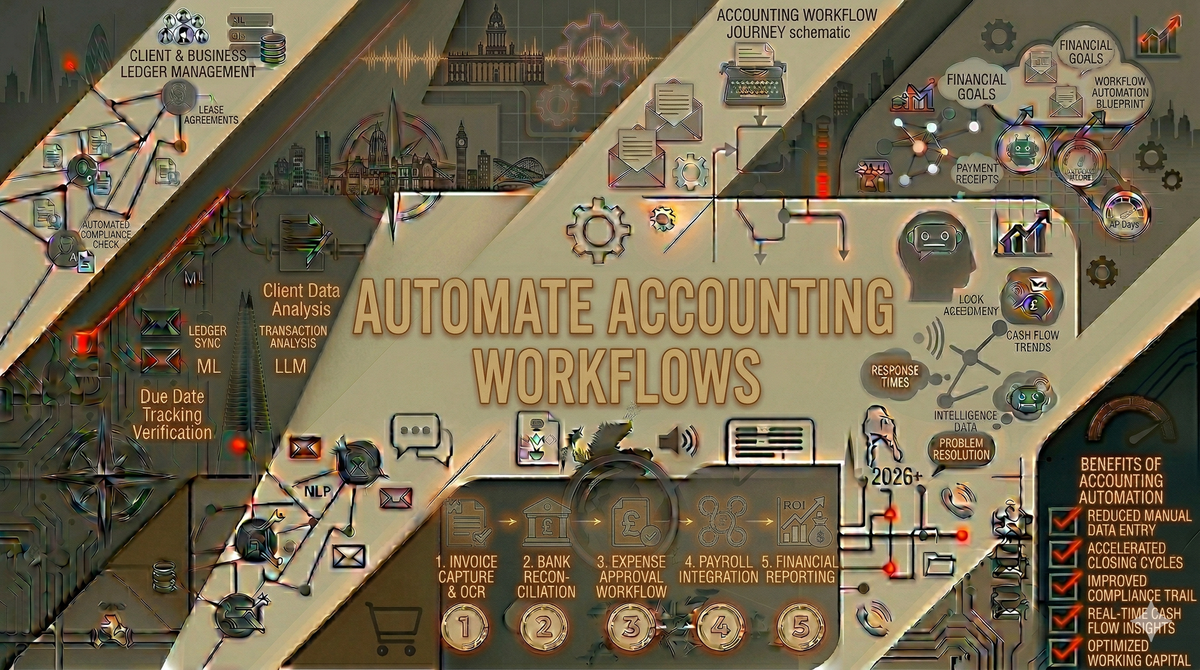
Karen is a bookkeeper in Norwich who manages 45 clients. Every month, she spends three full days on bank reconciliation alone. Not because the work is difficult, but because she is waiting for clients to upload statements, manually matching transactions, and chasing discrepancies that turn out to be duplicate entries. She knows there must be a better way. There is. You can automate accounting workflows like these in a single afternoon, and the tools cost less than what most practices spend on tea and biscuits.
UK accounting practices with one to 10 staff lose an estimated 15 to 25 hours per week to repetitive admin tasks. According to Karbon, practices using automation save an average of 18.5 hours per employee per week. That is not a typo. The gap between automated and manual practices is enormous, and it is growing wider as HMRC's Making Tax Digital programme expands.
This guide walks through the accounting workflows that waste the most time, shows you how to automate each one, and names the specific tools that UK practices are using right now.
The five accounting workflows that waste the most time
Before you automate accounting workflows, you need to know where the time actually goes. Here are the five biggest time sinks we see across UK accounting practices:
1. Client document chasing
The single biggest time waste in most practices. Chasing clients for bank statements, receipts, P60s, and tax documents eats three to five hours per week for a typical bookkeeper managing 30 or more clients. The same emails go out every month. The same clients forget. The same follow-ups get sent manually.
Chris runs a five-person accounting practice in Edinburgh. His team was spending a combined 20 hours per week chasing client documents before MTD deadlines. "We had a spreadsheet tracking who had sent what. It was colour-coded, updated daily, and still things fell through the cracks," he said.
2. Bank reconciliation
Matching bank transactions to invoices and receipts should be automatic in 2026, yet many practices still do this manually for clients who use multiple banks or have messy records. A typical reconciliation takes 30 minutes per client per month. Multiply that by 50 clients and you are looking at 25 hours of monthly reconciliation work.
3. Data entry from receipts and invoices
Paper receipts, emailed invoices, and photographed documents all need converting into accounting entries. Manual data entry is slow, error-prone, and soul-destroying. This is also the workflow where automation delivers the fastest and most dramatic improvement.
4. Client onboarding
Setting up a new client involves gathering personal details, company information, authorisation letters, engagement letters, anti-money laundering checks, and software access. Most practices do this through a mix of emails, phone calls, and paper forms. It typically takes two to four hours per new client.
5. Month-end and period-end reporting
Compiling management accounts, VAT returns, and compliance reports involves pulling data from multiple sources, formatting it, checking it, and sending it out. For practices handling 20 or more clients, month-end reporting alone can consume an entire week.
Use our admin cost calculator to put a specific number on how much these manual processes cost your practice.
How to automate each accounting workflow
Here is the practical part. For each workflow, the specific tools and the step-by-step setup.
Automate client document chasing
Tools: Xero Practice Manager, TaxDome, Zapier or Make.com
How it works: Set up automated reminder sequences that chase clients for outstanding documents on a schedule. The system sends the first reminder, waits three days, sends a follow-up, waits another three days, and escalates to a phone call reminder or a different team member.
Chris implemented this using a no-code automation workflow connecting his practice management software to automated email sequences. Result: outstanding documents at the January deadline dropped from 34% to 8% of clients. His team reclaimed 16 hours per week.
For practices that want to take this further, a custom AI assistant trained on your engagement letters and document requirements can answer client questions about what they need to send, when, and in what format, without anyone on your team being involved.
Automate bookkeeping tasks: bank reconciliation
Tools: Dext (formerly Receipt Bank), Xero bank feeds, QuickBooks bank rules
How it works: Connect your clients' bank accounts directly to your accounting software via open banking feeds. Set up matching rules that automatically reconcile recurring transactions. Dext captures receipt data with 99.9% accuracy and pushes it directly into Xero or QuickBooks.
Karen switched from manual reconciliation to Dext plus Xero bank feeds. Her three-day monthly reconciliation marathon dropped to four hours. "The software matches about 85% of transactions automatically now," she said. "I only touch the unusual ones."
Automate data entry
Tools: Dext, Hubdoc, AutoEntry
How it works: Clients photograph receipts or forward email invoices to a dedicated email address. The software extracts the supplier name, amount, date, invoice number, and category using AI, then creates the transaction in your accounting software automatically.
This is the workflow where accounting practice automation UK firms adopt first because the return is immediate and obvious. A task that took five minutes per document manually takes zero minutes with automation.
Automate client onboarding
Tools: TaxDome, Practice Ignition (now Ignition), Zapier
How it works: Create a standardised onboarding workflow that triggers automatically when you add a new client. The system sends the engagement letter for e-signature, collects company details via a web form, runs AML checks through an integrated service, sets up the client in your practice management software, and creates their Xero or QuickBooks account.
Nadia is a sole practitioner in Cardiff who onboards three to five new clients per month. Before automation, each onboarding took her three hours. Now it takes 20 minutes of her time, with the rest handled by automated workflows.
Automate month-end reporting
Tools: Xero reporting, Syft Analytics, Make.com
How it works: Set up automated report templates that pull data from your accounting software on a schedule. The reports compile themselves, format to your standards, and either queue for your review or send directly to clients on a set date.
Accounting workflow automation for reporting saves time and eliminates the errors that creep in when someone is manually copying numbers between spreadsheets at 9pm on the last day of the month.
The automation stack for UK accounting practices
Here is a practical tool stack that covers the core workflows for a typical UK practice:
| Layer | Tool | What It Does | Cost |
|---|---|---|---|
| Accounting | Xero or QuickBooks | Core ledger, invoicing, bank feeds | £15-£55/mo per client |
| Document capture | Dext or Hubdoc | Receipt and invoice extraction | £25-£50/mo |
| Practice management | TaxDome or Karbon | Client management, task tracking, deadlines | £30-£80/mo |
| Automation | Zapier or Make.com | Connects tools, triggers workflows | £15-£60/mo |
| AI assistant | Custom GPT | Answers client questions, drafts emails | £20/mo (ChatGPT Plus) |
Total cost: £105 to £265 per month. For a practice saving 15 or more hours per week, the payback is immediate.
AI for accountants workflows: what is coming next
The accounting automation landscape is moving fast. Xero's JAX agent can now create and send quotes and invoices via natural language commands. QuickBooks has launched AI agents that proactively categorise transactions and detect anomalies. Sage's MTD Agent automates compliance tasks and claims to reduce admin time accounting practices spend by 50%.
These developments mean that in 2026, accountants who automate are not early adopters. They are keeping up. Accountants who do not automate are falling behind.
For a detailed look at the best tools available right now, see our guide to the best AI tools for accountants UK. For MTD-specific automation, read our MTD automation guide.
How to reduce admin time accounting practices waste
The key to reducing admin time in your accounting practice is not buying every tool on the market. It is identifying which workflows consume the most hours and automating those first.
Here is the priority order we recommend for most UK practices:
- Document chasing — highest time savings, easiest to automate
- Data entry — Dext or Hubdoc, immediate ROI
- Bank reconciliation — bank feeds plus matching rules
- Client onboarding — standardise and automate the sequence
- Reporting — template and schedule
Start with number one. Get it working. Then move to number two. Trying to automate everything at once is how practices waste money on tools they never properly set up.
Frequently asked questions
How long does it take to automate accounting workflows?
The first automation, typically document chasing, can be set up in half a day. A full automation stack covering all five core workflows takes two to four weeks to implement properly, including testing and staff training.
Will automation replace accountants?
No. Automation handles repetitive data processing and admin tasks. It frees accountants to do what clients actually pay for: advisory work, tax planning, and financial strategy. The practices losing work are not the ones automating. They are the ones still spending 60% of their time on data entry.
Which accounting software is best for automation?
For UK practices, Xero has the strongest automation ecosystem with the most third-party integrations. QuickBooks is a close second and improving rapidly. Both support open banking, Dext integration, and Zapier or Make.com connections.
How much does it cost to automate an accounting practice?
The tools cost £105 to £265 per month for a typical stack. Professional setup help ranges from £499 for an AI Assessment identifying your specific opportunities to £3,000 to £5,000 for a full implementation. The time savings typically pay for everything within the first month.
Stop doing manually what AI can handle
Every hour your accounting practice spends on tasks that software can handle is an hour not spent on advisory work, client relationships, and growing the business. The tools exist. The integrations work. The only question is whether you start this month or wait until your competitors have already moved.
Book an AI Assessment for £499 and get a custom automation roadmap for your practice. We will identify the specific workflows to automate, the tools to use, and the order to implement them. If we cannot find at least five hours of weekly savings, you get a full refund.
Not sure where to start? Our free AI audit takes two minutes and shows you where your biggest automation opportunities are.
The best time to automate accounting workflows was two years ago. The second best time is this week.