How to Automate Client Document Chasing for UK Accountants
Automate client document chasing and stop wasting hours on the same emails. Practical guide for UK accountants with tools, templates, and setup steps.

You already know the email. "Hi [client name], just a quick reminder that we still need your bank statements for Q3. Could you send those over when you get a chance?" You've sent it a hundred times. To the same clients. For the same documents. And half of them won't reply until you chase them again next week.
If you run a small accounting practice, client document chasing is probably your biggest single time drain. It's repetitive, frustrating, and entirely predictable. Which makes it a perfect candidate for automation.
When you automate client document chasing, you don't just save time. You remove the emotional weight of nagging clients who never respond, free up hours for billable work, and ensure nothing slips through the cracks before MTD deadlines.
The real cost of manual document chasing
Most accountants underestimate how much time they spend chasing documents because it's spread across the week in small chunks. A five-minute email here, a two-minute follow-up there. It adds up.
We've mapped this with dozens of UK accounting practices. The numbers are consistent:
- 3-6 hours per week on document chasing for a practice with 50-100 clients
- 8-12 hours per week during Self Assessment season (January) and MTD submission periods
- 60% of chased documents arrive after the second or third reminder, not the first
- 15% of clients need phone calls because they ignore all emails
According to Wolters Kluwer research, 46% of UK accountants now use automation to handle routine tasks like this. The other 54% are still typing the same emails every week.
With MTD for Income Tax launching in April 2026, the volume of documents you'll need from clients is about to increase significantly. If you haven't set up client document collection automation before that wave hits, you'll feel it.
Three approaches to automate client document chasing
Approach 1: Client portal with built-in reminders
The simplest way to automate document requests is through a client portal that sends reminders automatically.
Dext: Already used by over 12,000 accounting practices worldwide. Clients upload documents via the mobile app, email, or desktop. You monitor submission status from one dashboard. Automatic reminders chase missing documents without you lifting a finger. Dext's AI extracts data with 99%+ accuracy and pushes it directly to Xero or QuickBooks.
Financial Cents: Built specifically for accounting practice management. Create document request lists per client, set reminder schedules, and track who has submitted what. SMS reminders are available for clients who ignore emails.
Uncat: Specialises in the document chasing problem. Automatic reminders follow up with clients until documents are submitted. Direct integration with accounting software ensures documents are categorised and filed automatically.
This approach works well for practices already using these tools. Setup takes 1-2 hours per platform.
Approach 2: Custom automation with Zapier or Make.com
If your practice management software doesn't have strong document chasing features, build a custom workflow using no-code automation tools.
Here's a workflow we've built for several UK practices:
Step 1: Create a Google Sheet or Airtable base listing every client, the documents needed, due dates, and submission status.
Step 2: Set up a Zapier workflow that checks the sheet daily. For any document marked "not received" where the due date is within 14 days, it sends a personalised email reminder.
Step 3: Add escalation rules. If the document is still missing 7 days after the first reminder, send a firmer follow-up. If still missing at 3 days before deadline, send you a notification to make a phone call.
Step 4: When the client submits the document (via email or portal), update the sheet to "received." The reminder sequence stops automatically.
This approach costs £20-50 per month for Zapier and gives you complete control over timing, messaging, and escalation. We've helped practices automate document requests for 60-200 clients using this method, with typical setup time of half a day.
Approach 3: AI-powered document chasing
The most advanced approach uses AI to handle the nuance that automated emails miss.
A custom AI assistant trained on your practice's communication style can:
- Reply to client responses: When a client emails "I'll send it Friday," the AI acknowledges, sets a Friday follow-up, and only alerts you if Friday passes without the document.
- Adjust tone by client history: First-time late submitter gets a gentle nudge. Chronic non-responder gets a firmer, more specific message.
- Handle partial submissions: If a client sends three of five requested documents, the AI thanks them and chases the remaining two specifically.
- Draft phone call briefs: For the 15% who need a phone call, the AI prepares a brief with the client's submission history and outstanding items.
This is document chasing software accountants have wanted for years. It handles the 80% of cases that are straightforward, freeing you to focus on the 20% that genuinely need your attention.
What your automated document chasing sequence should look like
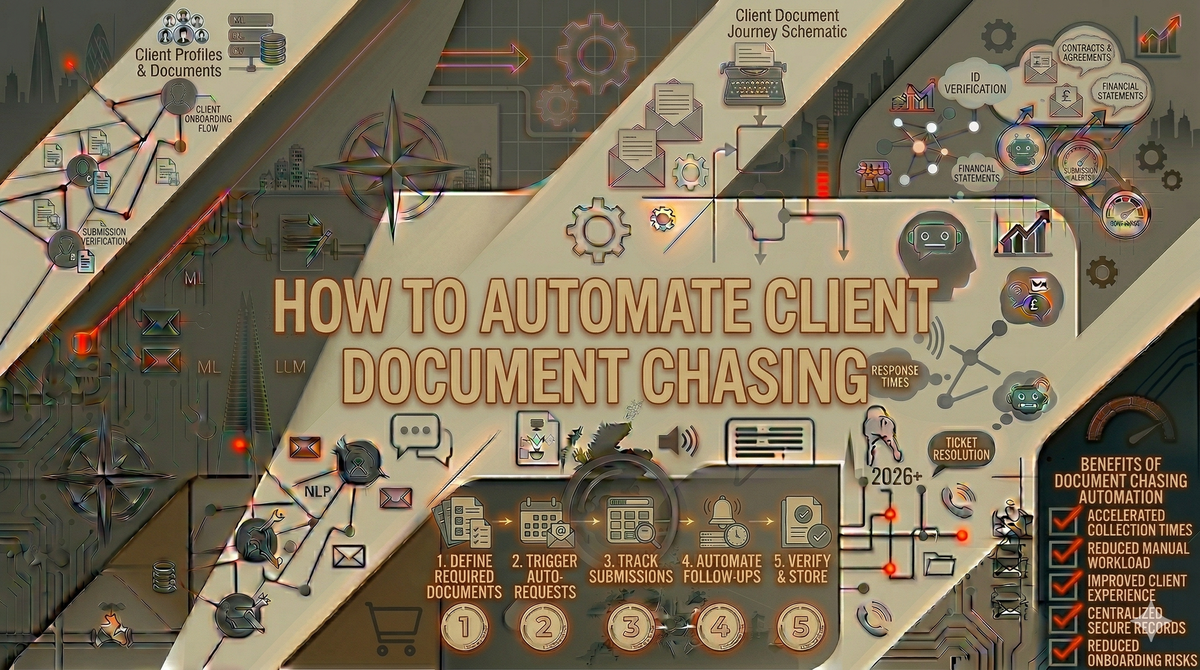
Based on our work with UK accounting practices, this five-step sequence gets the best results:
Day -14 (two weeks before deadline): Friendly initial request. "Hi [name], we'll need the following documents for your [tax return/VAT/MTD submission]: [list]. Could you upload them to [portal link] or email them to us by [date]?"
Day -7 (one week before): Gentle reminder. "Just checking in. We still need [specific missing documents] from you. Here's the upload link: [link]."
Day -3 (three days before): Firmer reminder. "Your [submission type] deadline is [date]. We're still missing [documents]. Please send these as soon as possible to avoid delays."
Day 0 (deadline day): Final reminder. "Today is the deadline for [submission]. Without [documents], we can't complete your [return/filing]. Please contact us urgently if you need help."
Day +1 (day after deadline): Escalation to you. The system alerts you with a list of non-responders and their outstanding items. Time for phone calls.
The key insight: 60% of clients respond to reminders 2 or 3. By automating the first four messages, you only personally chase the stubborn 15-20%.
Results from UK accounting practices
Nadia, sole practitioner in Birmingham: 55 clients, mostly self-employed tradespeople. Was spending 6 hours per week on document chasing, rising to 15 hours in January. Set up Dext with automatic reminders and a Zapier workflow for escalation. Document chase time dropped to 90 minutes per week. She used the freed-up time to take on 12 additional clients. "The system chases better than I did because it never forgets and never delays."
James, three-person firm in Manchester: 120 clients across personal tax, corporate, and bookkeeping. Built a comprehensive document tracking system in Airtable connected to Make.com for automated emails. Client compliance rate (documents submitted on time) went from 58% to 81% in the first quarter. Annual time saved: approximately 200 hours across the team. "We used to dread January. Now the automation handles the chase and we focus on the returns."
Fatima, bookkeeper in Leeds: Solo bookkeeper with 40 regular clients. Implemented Uncat for automate document requests and a custom GPT for drafting follow-up messages. The AI matches her friendly, no-nonsense communication style. Monthly document chasing dropped from 10 hours to 2 hours. She was able to raise her rates by 15% because she's delivering faster turnarounds.
All three practices used different document chasing software accountants can set up without technical skills. The common thread: every one of them wished they'd started sooner. The accounting practice automation payoff is immediate because the problem is so repetitive and predictable.
What about MTD for Income Tax?
MTD for Income Tax launches in April 2026 for landlords and self-employed individuals earning over £50,000. This means quarterly digital submissions instead of annual tax returns, and that means more documents, more often.
If you manage clients who are self-employed tradespeople, landlords, or freelancers, your document collection volume is about to roughly quadruple. The practices that survive this transition without hiring additional staff will be the ones that have already put client document collection automation in place.
Here's what changes under MTD ITSA:
- Quarterly submissions require bank statements, invoices, and expense records four times per year instead of once
- Digital record-keeping means clients need to submit documents digitally, not hand over carrier bags of receipts in January
- Tighter deadlines leave less room for the "I'll get to it next week" clients
Practices using automated document requests will handle this seamlessly. The system sends quarterly chasing sequences tied to each submission period. Practices still chasing manually will spend entire weeks on document collection alone.
If your practice hasn't looked at automating your accounting workflows more broadly, MTD is the forcing function.
Common mistakes when automating document chasing
Sending generic requests: "Please send your documents" gets ignored. List the specific documents you need, by name. Automated doesn't mean vague.
Too many reminders: Five touchpoints is enough. Beyond that, you're annoying clients, not motivating them. Escalate to a phone call instead of adding message six.
Not testing the sequence: Send yourself through the full sequence before activating it for clients. Check that personalisation works, links are correct, and the tone feels right at each stage.
Forgetting to update when documents arrive: If your automation doesn't check submission status before sending, you'll remind clients who've already submitted. That damages trust. Make sure your system marks documents as received and stops the sequence.
Ignoring the phone-call clients: Some clients will never respond to emails. Your automation should identify them early, not keep emailing them indefinitely. Flag them for a call after the second reminder.
How document chasing connects to broader accounting practice automation
Client document chasing is usually the first thing accountants automate because the pain is acute and the fix is straightforward. But it's part of a bigger picture.
Once your document chasing runs automatically, the natural next steps are automating your broader accounting workflows, setting up automated client onboarding, and using AI for report generation and client communication.
Our AI for accountants page covers the full range of accounting practice automation opportunities. The typical small practice that starts with document chasing ends up saving 5-8 hours per week across all automated workflows.
Get started with automated document chasing
If you're still typing reminder emails manually, you're spending time on a solved problem. MTD for Income Tax is coming. Your client document volumes are about to grow. Now is the time to automate client document chasing before the pressure builds.
Quick start: If you already use Dext, enable the automatic reminder features. It takes 15 minutes and will immediately reduce your chasing workload.
Custom setup: If you want a tailored system with AI-powered responses and escalation, book an AI Assessment. We'll map your entire document collection workflow and recommend the right automation. £499, money-back guarantee.
Free check: Try the free AI audit or calculate your potential time savings with the admin cost calculator.
Your clients aren't going to get better at sending documents on time. But your system for chasing them can get dramatically better, starting this week.
We work with accountants and bookkeepers across the UK who've made this switch. Every one of them says the same thing: the hardest part wasn't setting up the automation. It was accepting that the manual approach they'd used for years was never coming back. Once you automate client document chasing, you can't imagine going back to typing those reminder emails by hand. Use the automation checklist to see what else in your practice could run without you.